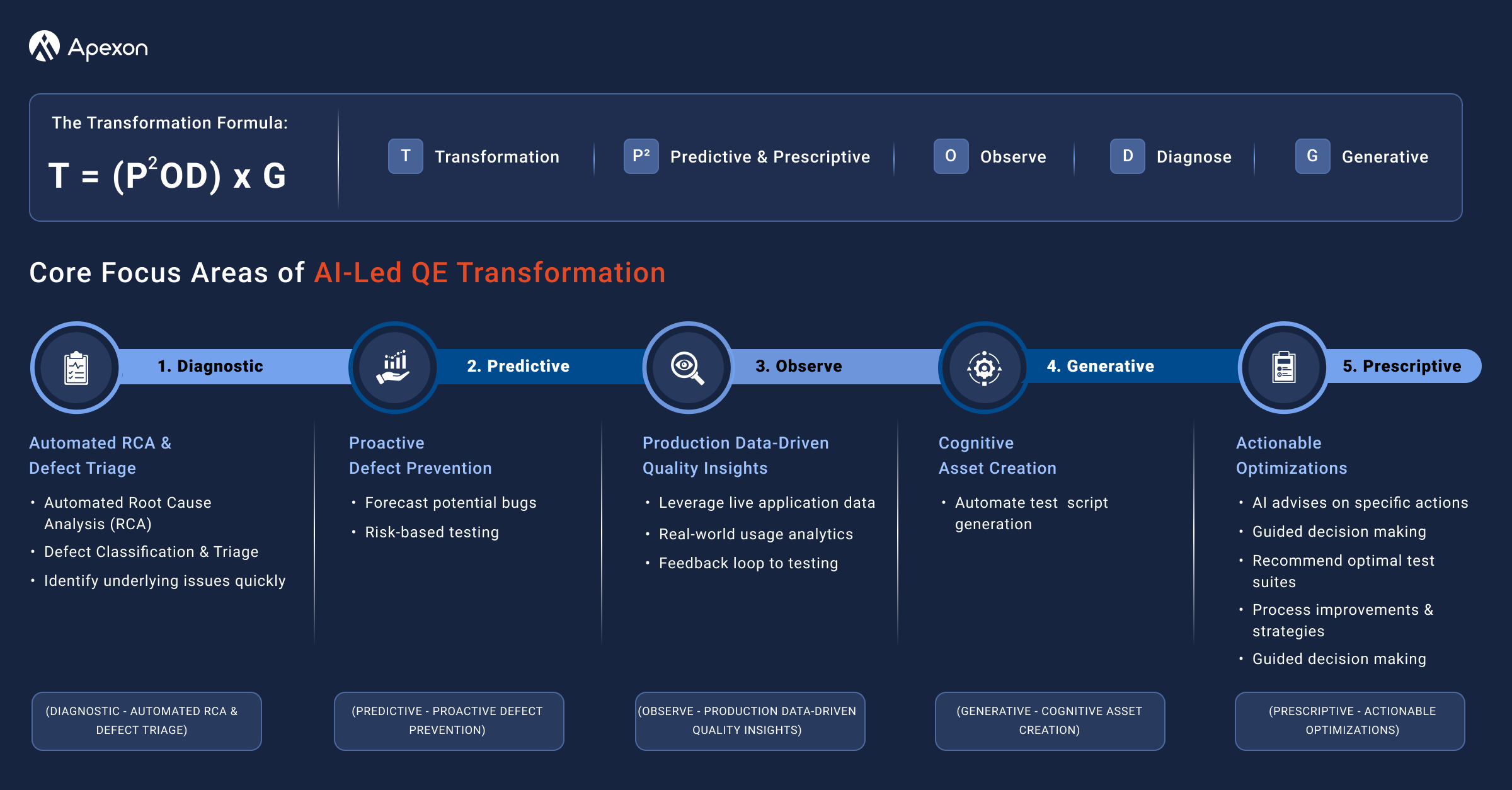


As Agile development accelerates release cycles, Quality Assurance (QA) teams must balance manual verification and test automation within the same sprint, a challenge that often delays automation efforts. Manual test maintenance further slows feedback loops, making it essential to accelerate developer productivity for improved quality and faster delivery. GitHub Copilot, a generative AI-powered coding assistant, helps streamline test case creation and code development, offering QA teams a practical pathway to meet the demands of continuous delivery.
As noted in the Gartner® research, “Writing new code and generating test cases are reported as the biggest time-saving areas observed by leaders using AI tools to augment software engineering workflows.”
Source: Cool Vendors in Software Quality and Testing, May 2025
This growing reliance on AI-augmented tools makes GitHub Copilot especially relevant for teams aiming to automate more within shorter sprint cycles.

What is GitHub Copilot?
GitHub Copilot, powered by OpenAI, is an AI-driven code completion tool designed to assist developers and QA engineers by suggesting context-aware code in real-time. Copilot analyzes existing code patterns and surrounding context to generate relevant suggestions that accelerate development tasks.
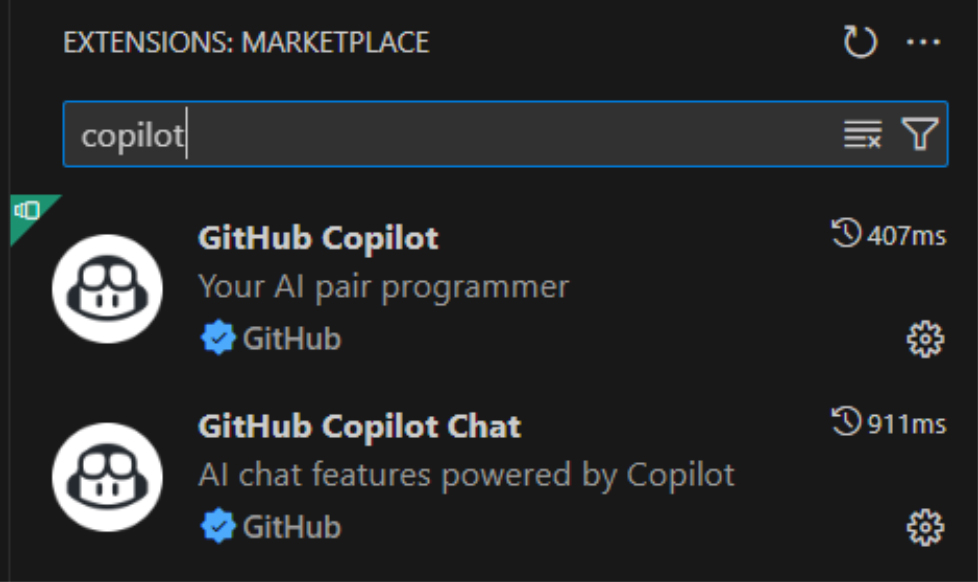
QA teams typically interact with Copilot through two primary extensions: GitHub Copilot for inline code suggestions and GitHub Copilot Chat for interactive, prompt-based assistance. As demonstrated in real-world test automation efforts, this combination enables faster creation of artifacts such as page object models, fixture files, and step definitions, helping teams meet sprint timelines more effectively.
Also Read: Rethinking Test Automation Strategy and Test Automation Transformation
Getting Started with Copilot
Setting up GitHub Copilot for test automation begins with integrating approved AI tools into the developer IDE. This includes GitHub Copilot, its Extension, and Copilot Chat, all configured to support the test automation framework—Cypress with JavaScript in this instance. Copilot aligned with the project’s folder and file structure and was used to generate core test components such as page object models, fixture files, and Cucumber feature tests.
During implementation, Copilot demonstrated contextual awareness of the automation framework, accelerating script creation for in-scope components. Copilot Chat supported more nuanced scenarios, especially where deeper assistance was needed. This configuration led to measurable efficiency improvements during regression and in-sprint automation efforts.
Also Read – Understanding Agentic Systems in Modern Technology
How Copilot Accelerates Test Automation
Copilot within a Cypress JavaScript BDD framework to automate test cases was implemented for sample in-sprint user stories. Here’s how Copilot enhanced the automation workflow:
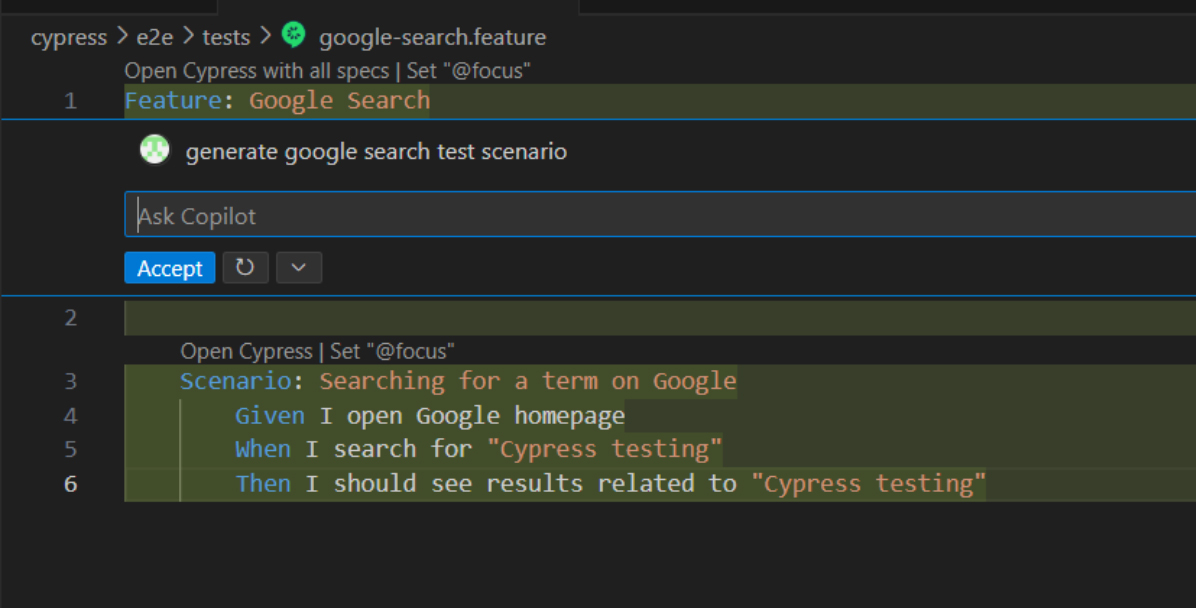
- Scenario Generation: Copilot quickly translated acceptance criteria into BDD-style feature files, reducing manual effort and enabling faster test scenario coverage.
- Page Object Model (POM) Methods: Using source code as context, Copilot generated reusable page object methods aligned with project structure, streamlining interaction logic.

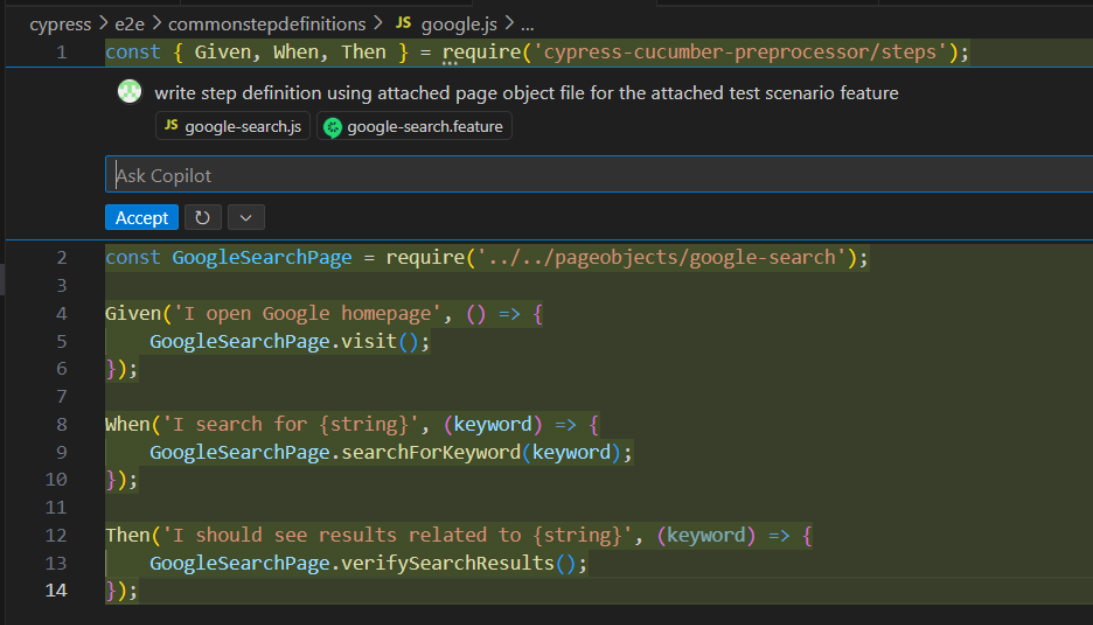
- Step Definitions: It intelligently mapped feature files to POM methods, producing step definitions in seconds thereby minimizing boilerplate coding.
- Error Resolution: During JavaScript-to-TypeScript migration, Copilot’s built-in code suggestions and ‘Quick Fix’ capabilities helped resolve syntax issues, reducing debugging time.
Also Read – AI is Transforming Test Automation
Best Practices to Maximize Copilot Effectiveness
- Use descriptive prompts: Clear comments or acceptance criteria improve Copilot’s output accuracy.
- Provide structured context: Refer to expected behaviors and assertions to align generated code with functional intent.
- Establish review protocols: Always review AI-generated outputs, especially business logic and edge cases.
- Define boundaries for usage: Use Copilot for boilerplate components like models and fixtures; reserve complex logic for manual implementation.
- Maintain coding consistency: Consistent naming and structure improve Copilot’s coherence and maintainability.
- Enable in-sprint automation: Integrating Copilot early accelerates delivery and helps meet sprint automation goals.
Also Read – Self-Improving Agentic AI: Designing Systems That Learn and Adapt Autonomously
The Measurable Impact
The time savings were significant, with up to 50% improvement in productivity when developing and refining automated test cases. Copilot didn’t just speed up test creation; it enabled broader automation within the sprint, increasing in-sprint coverage for the first time. While some manual refinement was required, the initial scaffolding Copilot provided saved critical time and effort.
Also Read: Is Shift Left in Testing the Same for Greenfield and Brownfield Projects?
Conclusion – Smarter QA Starts Here
GitHub Copilot is transforming QA practices by enabling faster, more intelligent test automation that aligns with Agile sprint objectives. Its ability to generate context-aware code empowers testers to shift focus from routine scripting to strategic test coverage. With Copilot, in-sprint automation becomes consistently achievable, helping QA teams match the pace of modern software delivery.